


UK: 535d Owners and BP Ultimate Diesel

Thread Starter
Members
Joined: Jul 2006
Posts: 228
Likes: 0
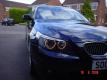
My Ride: 535D AM SPORT 06 (07 for you US Guys ;-)
Carbon Black
Professional Sat Nav
6CD Changer
Automatic Aircondition Advance (Standard fit)
Bluetooth Telephone Preperation with Telematics Preperation
Extended Voice Control System
M 19" Mixed Wheels Style 172M
BMW Online
BMW Assist
Graduated Tinted Windscreen
Bi-Xenon Headlights
Adaptive Headlights
Headlight Wash System
Black Dakota Leather
Rear Spoiler
Spare Wheel
M Rear Spoler
Sun Protection Glass
Heated Front Seats
BMW Velour Floor Mats
BMW Service and Maintenance for 5 years/60,000 miles
Tracker - Echo

Yep - do let us know - could be a hidden feature 


Members
Joined: Nov 2006
Posts: 221
Likes: 0
From: Oxfordshire UK
My Ride: 535d m sport - 9 Weeks to go!!
Originally Posted by Blocker' post='408516' date='Mar 29 2007, 08:11 PM
TC... give me some more detail on what I need to do to get it from my Pro Nav... I am a complete numpty when it comes to teccy stuff!! This type of education can only serve me well in the future!
Members
Joined: Jan 2007
Posts: 30
Likes: 0
From: Surrey, UK
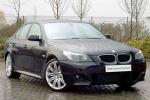
My Ride: Its a 535d M-Sport... 19" Alloys, Carbon Black, Lots of bits and I love it!
Originally Posted by TC.' post='408751' date='Mar 30 2007, 08:47 AM
Enter Navigation and use iDrive wheel to navigate to 'information' and select, then highlight and select 'On Location' within the information sub menue, then select 'Car', then select 'Petrol Stations', choose the radius distance of the search (either 5, 10 or 20 mls), then select 'Name' and then key enter the company name, Shell, BP etc and confirm entry, then click <Start Search>, you should then be presented with all the petrol stations for that company within the given radius - simply select the one you wish to go to and then accept it as a nav destination.............and away you go

Members
Joined: Jan 2007
Posts: 30
Likes: 0
From: Surrey, UK
My Ride: Its a 535d M-Sport... 19" Alloys, Carbon Black, Lots of bits and I love it!
Originally Posted by TC.' post='408751' date='Mar 30 2007, 08:47 AM
Enter Navigation and use iDrive wheel to navigate to 'information' and select, then highlight and select 'On Location' within the information sub menue, then select 'Car', then select 'Petrol Stations', choose the radius distance of the search (either 5, 10 or 20 mls), then select 'Name' and then key enter the company name, Shell, BP etc and confirm entry, then click <Start Search>, you should then be presented with all the petrol stations for that company within the given radius - simply select the one you wish to go to and then accept it as a nav destination.............and away you go
Senior Members
Joined: Oct 2004
Posts: 689
Likes: 0
From: Kent, UK
My Ride: E60 530d Sport - Carbon Black, Black Dakota Leather, Media Pack (satnav, bluetooth, CD changer), heated font seats, through load
My SatNav will also find your nearest McDonalds, Starbucks, and lots of other stuff that BMW don't provide.
Also, being on-topic. I use Shell Extra when I can, but only as it's no more expensive. I don't believe that "super" diesel makes any difference.
Also, being on-topic. I use Shell Extra when I can, but only as it's no more expensive. I don't believe that "super" diesel makes any difference.

Thread
Thread Starter
Forum
Replies
Last Post
th3h1ghlander
New Member Introductions
8
Oct 9, 2015 07:40 AM
ucsbwsr
E60, E61 Parts, Accessories and Mods
4
Sep 19, 2015 10:58 AM

