


Car Coding


Members
Joined: Jun 2011
Posts: 155
Likes: 0
From: Queens, New York
My Ride: 525i M54 2005 Alpine White
Sport/Cold/Premiun Sound/Active Steering
Navigation/PDC/sport seats/6 CD Changer

I am not an expert at this but maybe you need to update or replace your daten files

Members
Senior Members
Joined: Sep 2006
Posts: 3,238
Likes: 1
From: Omaha, NE - USA
My Ride: MY07 525xi Silver Gray
Model Year: 2007
I personally don't like/trust to run the laden.bat ... but hey that's just me ... Now can you find the file E60SGFAM.DAT anywhere within \NCSEXPER\DATEN folder?
Also, I don't think overwriting CFGDAT folder under NCSEXPER/INPA folders (especially a working one) is a good idea ... I would bet that mainly the problem.
Seems like v41 daten update gone wrong, start over from scratch before you do v41 daten update test INPA & NCSEXPERT if you got them from trusted source.
GL!
Also, I don't think overwriting CFGDAT folder under NCSEXPER/INPA folders (especially a working one) is a good idea ... I would bet that mainly the problem.
Seems like v41 daten update gone wrong, start over from scratch before you do v41 daten update test INPA & NCSEXPERT if you got them from trusted source.
GL!
Read this entire thread, no help for my issues! I have been reading and searching and reading, hoping someone has the same trouble as me, but I need some help!! Just so everyone knows I have been reading everything I can, let me show you my setup before I dive into the problem.
Summary of my setup
Car: 2006 M5.
Cable: D+KCAN USB
Utilities: INPA 5.0.2, Ediabas 7.2.0.504, NCS EXpert 3.1.0
Files: v41 daten files that have been confirmed to work for other users. Checked and double checked that all files are in the proper location (CFGDAT --> NCSEXPERT\CFGDAT, DATA--> Imported within WINKFP, DATEN ran the laden.bat file, verified all in proper place, SGDAT-->NCSEXPERT\SGDAT
Setup a profile properly in NCS Expert.
Ran the DCAN.exe utility, with the car set as "KCAN" interface, it ran properly.
Dev manager: USB Serial as com1. "Communications port" is COM1 also, don't know if that's an issue
OBD.ini has "COM1", and placed the file in C:\ and C:\Windows
Ediabas.ini has IP: 192.168.68.1 and port 6801. There are two places to put your IP and port, tried both, either, still having my issues.
Now, my problems:
When opening INPA, I see both black circles, but there are NO chassis available to select along the bottom of the screen
So I close INPA, go into NCSEXPERT, and get 2 errors: "Chassis is faulty" and "Coapi-1020 bin\daten\e60sgfam.dat"
Any ideas here??
Thanks
John
Summary of my setup
Car: 2006 M5.
Cable: D+KCAN USB
Utilities: INPA 5.0.2, Ediabas 7.2.0.504, NCS EXpert 3.1.0
Files: v41 daten files that have been confirmed to work for other users. Checked and double checked that all files are in the proper location (CFGDAT --> NCSEXPERT\CFGDAT, DATA--> Imported within WINKFP, DATEN ran the laden.bat file, verified all in proper place, SGDAT-->NCSEXPERT\SGDAT
Setup a profile properly in NCS Expert.
Ran the DCAN.exe utility, with the car set as "KCAN" interface, it ran properly.
Dev manager: USB Serial as com1. "Communications port" is COM1 also, don't know if that's an issue
OBD.ini has "COM1", and placed the file in C:\ and C:\Windows
Ediabas.ini has IP: 192.168.68.1 and port 6801. There are two places to put your IP and port, tried both, either, still having my issues.
Now, my problems:
When opening INPA, I see both black circles, but there are NO chassis available to select along the bottom of the screen
So I close INPA, go into NCSEXPERT, and get 2 errors: "Chassis is faulty" and "Coapi-1020 bin\daten\e60sgfam.dat"
Any ideas here??
Thanks
John

Members
Joined: Apr 2011
Posts: 181
Likes: 1
From: Ro
The file is located at C:/NCSEXPER/DATEN/E60
; Baureihen-SGFAM-/ZCS-Datei E60 E61 E63 E64, . . , Sp
; SG CABD C_SGBD ZCS FA KOMMENTAR
S CAS A_E65CAS CAS 0 1
S KOMBI A_E60KMB KOMB60 0 0
S AHM A_E65 AHM_E65 0 0
S LMA A_E60LM2 LM_AHL 0 1
S ARS A_E65CR ARS_60 0 0
S RLS A_E65 RLS_E65 0 0
S ACC A_E60ACC ACC_E65 0 0
S IHKA A_E65R IHKA65 0 0
S DWAI A_E65C DWA_E65 0 0
S DWAS A_E65 SINE_65 0 0
S PGS A_E65 PGS_E65 0 0
S MMC A_E65MMC MMC_E65 0 0
S SHD A_E65R SD_KWP 0 0
S PDC A_E65 PDC_65_2 0 0
S HUD A_E65CR HUD_60 0 0
S SFZ A_E60ISI SFZ60 0 0
S ALC A_E65 ALC_60 0 0
S SGM A_E60ISI SGM_60_2 0 0
S EHC A_E65R EHC_E65 0 0
S HKL A_E65C HKL_E65 0 0
S TMFT A_E60ISI TEFA60 0 0
S TMBT A_E60ISI TEBF60 0 0
S SZL A_E60ISI SZL 0 0
S FAS A_E65 FAS_65_2 0 0
S BFS A_E65SM BFS_65_2 0 0
S SHZH A_E65 SHZH60 0 0
S MASK A_E65R MASK60 0 0
S KBM A_E65 KBM_60 0 0
S EKP A_E65R EKP_60 0 0
S DSC A_E60DSC DSC_60 0 0
S SZM A_E65 SZM_60 0 0
S TCUM A_E65TCU TELE60_2 0 0
S CVM A_E65CR CVM_64 0 0
S AMPT A_E65R AMP_60 0 0
S SBSL A_E60ISI SBSL85 0 0
S SBSR A_E60ISI SBSR85 0 0
S JTCU A_E65TCU TELE60_2 0 0
S 8BMOT A_ME9_8N ME9N62 0 0
S 6BMOT A_PL2N46 MSV70 0 0
S AFS A_E65CR AFS_60 0 0
S CTUNE A_E60CT1 ANT_60 0 0
S MPM A_E65R MPM_60 0 0
S CANS A_E65R DWA_63 0 0
S FDM A_E65 FDM_VS 0 0
S MULF A_E65DR ULF_60 0 0
S LSMC A_SMCKWL ALC_60 0 0
S RSMC A_SMCKWR ALC_60 0 0
S 2LSMC A_SMCKWL LM_AHL 0 0
S 2RSMC A_SMCKWR LM_AHL 0 0
S CHOST A_E60CCC CCC_60 0 0
S CAUDI A_E65 ASK_60 0 0
S CGATE A_E65 CCCG60 0 0
S CAPPL A_E60CCC CCCA60 0 0
S EDC A_E65R EDCK65 0 0
S FALBV A_E65 ALBV60F 0 0
S BALBV A_E65 ALBV60B 0 0
S VGSG A_VGSG VGSG90 0 0
S NIVI A_E65CR NVE_65 0 0
S TGFT A_E65 PGS_E65 0 0
S TGBT A_E65 PGS_E65 0 0
S TGFH A_E65 PGS_E65 0 0
S TGBH A_E65 PGS_E65 0 0
S ABG A_PL2MRS ACSM60 0 0
S KGM A_E65R KGM_60 0 0
S DAB A_E65R DAB_60 0 0
S EGS A_GKE11 GS19B 0 0
S FLA A_E65R FLA_65 0 0
S LDM A_E65R LDM_60 0 0
S EHB3 A_E60D2C DSC_60PP 0 0
S 6DMOT A_DMOT D60M57D0 0 0
S CHAMP A_E65MMI CHAMP 0 0
S LCPA A_LCPA KGM_60 0 0
S TLC A_E65CR TLC_60 0 0
S MSHD A_E65R SD_KWP 0 0
S 4BMOT A_PL2N46 MEV17N46 0 0
S RSE A_E65R RSE_70 0 0
S MAMP A_E65R AMPT70 0 0
S GWS A_E65R GWS_60 0 0
S 2MULF A_E65DR ULF2_HI 0 0
S CID A_E65R CID_60 0 0
S 41BMO A_PL2N46 MSD80 0 0
S 43DMO A_DMOT D71N47A0 0 0
S HAMP A_E65R AMPH56 0 0
S CIC A_E65 CICR 0 0
S ZBE2 A_E65 ZBE_60_2 0 0
S 62DMO A_DMOT D60M57D0 0 0
; Baureihen-SGFAM-/ZCS-Datei E60 E61 E63 E64, . . , Sp
; SG CABD C_SGBD ZCS FA KOMMENTAR
S CAS A_E65CAS CAS 0 1
S KOMBI A_E60KMB KOMB60 0 0
S AHM A_E65 AHM_E65 0 0
S LMA A_E60LM2 LM_AHL 0 1
S ARS A_E65CR ARS_60 0 0
S RLS A_E65 RLS_E65 0 0
S ACC A_E60ACC ACC_E65 0 0
S IHKA A_E65R IHKA65 0 0
S DWAI A_E65C DWA_E65 0 0
S DWAS A_E65 SINE_65 0 0
S PGS A_E65 PGS_E65 0 0
S MMC A_E65MMC MMC_E65 0 0
S SHD A_E65R SD_KWP 0 0
S PDC A_E65 PDC_65_2 0 0
S HUD A_E65CR HUD_60 0 0
S SFZ A_E60ISI SFZ60 0 0
S ALC A_E65 ALC_60 0 0
S SGM A_E60ISI SGM_60_2 0 0
S EHC A_E65R EHC_E65 0 0
S HKL A_E65C HKL_E65 0 0
S TMFT A_E60ISI TEFA60 0 0
S TMBT A_E60ISI TEBF60 0 0
S SZL A_E60ISI SZL 0 0
S FAS A_E65 FAS_65_2 0 0
S BFS A_E65SM BFS_65_2 0 0
S SHZH A_E65 SHZH60 0 0
S MASK A_E65R MASK60 0 0
S KBM A_E65 KBM_60 0 0
S EKP A_E65R EKP_60 0 0
S DSC A_E60DSC DSC_60 0 0
S SZM A_E65 SZM_60 0 0
S TCUM A_E65TCU TELE60_2 0 0
S CVM A_E65CR CVM_64 0 0
S AMPT A_E65R AMP_60 0 0
S SBSL A_E60ISI SBSL85 0 0
S SBSR A_E60ISI SBSR85 0 0
S JTCU A_E65TCU TELE60_2 0 0
S 8BMOT A_ME9_8N ME9N62 0 0
S 6BMOT A_PL2N46 MSV70 0 0
S AFS A_E65CR AFS_60 0 0
S CTUNE A_E60CT1 ANT_60 0 0
S MPM A_E65R MPM_60 0 0
S CANS A_E65R DWA_63 0 0
S FDM A_E65 FDM_VS 0 0
S MULF A_E65DR ULF_60 0 0
S LSMC A_SMCKWL ALC_60 0 0
S RSMC A_SMCKWR ALC_60 0 0
S 2LSMC A_SMCKWL LM_AHL 0 0
S 2RSMC A_SMCKWR LM_AHL 0 0
S CHOST A_E60CCC CCC_60 0 0
S CAUDI A_E65 ASK_60 0 0
S CGATE A_E65 CCCG60 0 0
S CAPPL A_E60CCC CCCA60 0 0
S EDC A_E65R EDCK65 0 0
S FALBV A_E65 ALBV60F 0 0
S BALBV A_E65 ALBV60B 0 0
S VGSG A_VGSG VGSG90 0 0
S NIVI A_E65CR NVE_65 0 0
S TGFT A_E65 PGS_E65 0 0
S TGBT A_E65 PGS_E65 0 0
S TGFH A_E65 PGS_E65 0 0
S TGBH A_E65 PGS_E65 0 0
S ABG A_PL2MRS ACSM60 0 0
S KGM A_E65R KGM_60 0 0
S DAB A_E65R DAB_60 0 0
S EGS A_GKE11 GS19B 0 0
S FLA A_E65R FLA_65 0 0
S LDM A_E65R LDM_60 0 0
S EHB3 A_E60D2C DSC_60PP 0 0
S 6DMOT A_DMOT D60M57D0 0 0
S CHAMP A_E65MMI CHAMP 0 0
S LCPA A_LCPA KGM_60 0 0
S TLC A_E65CR TLC_60 0 0
S MSHD A_E65R SD_KWP 0 0
S 4BMOT A_PL2N46 MEV17N46 0 0
S RSE A_E65R RSE_70 0 0
S MAMP A_E65R AMPT70 0 0
S GWS A_E65R GWS_60 0 0
S 2MULF A_E65DR ULF2_HI 0 0
S CID A_E65R CID_60 0 0
S 41BMO A_PL2N46 MSD80 0 0
S 43DMO A_DMOT D71N47A0 0 0
S HAMP A_E65R AMPH56 0 0
S CIC A_E65 CICR 0 0
S ZBE2 A_E65 ZBE_60_2 0 0
S 62DMO A_DMOT D60M57D0 0 0

Members
Joined: Sep 2007
Posts: 13
Likes: 0
From: Madrid
My Ride: E60 530D
I suggest you to delete everything and start again the installation with a clear instalation instructions. Personally I have found the "David Mc" (bimmerforums.com) threads one of the best to follow. One of the easiest and safe ways to check if your cable is working is with INPA.
As INPA and NCS works independently, some guys (myself) have downloaded the file http://nebulamods.com/terraphantmftp/BMW/NCSEXPER.rar to put NCS to work, by replacing completely the NCSEXPER you have now (rename to NCSEXPEROLD just in case) with the one included. This is NCSEXPER 3.1. The EDIABAS version I am using is 6.4.7 (not 7.2) And my INPA is 5.0.2 as you have. Then update your DATEN on the new NCS following the procedure (with laden.exe, etc).
One of the best threads I suggest you to have on your favourites: http://www.bimmerfest.com/forums/sho...d.php?t=561237 I call it "The Bible".
I hope this helps
Members
Joined: Jun 2011
Posts: 155
Likes: 0
From: Queens, New York
My Ride: 525i M54 2005 Alpine White
Sport/Cold/Premiun Sound/Active Steering
Navigation/PDC/sport seats/6 CD Changer
I've started recently to work with INPA and NCSEXPER. For the things you're experiencing and have also faced myself, you have probably not correclty instaled the whole thing. The fact that you can't see the different car models on INPA is one symptom. The Chassis faulty on NCS is related to something wrong with DATEN. Not always the best thing is to have the latest daten but have them correctly placed as you are currently studying. In my opinion, if you know your instlled daten files version this is the best election you can make.
I suggest you to delete everything and start again the installation with a clear instalation instructions. Personally I have found the "David Mc" (bimmerforums.com) threads one of the best to follow. One of the easiest and safe ways to check if your cable is working is with INPA.
As INPA and NCS works independently, some guys (myself) have downloaded the file http://nebulamods.co...MW/NCSEXPER.rar to put NCS to work, by replacing completely the NCSEXPER you have now (rename to NCSEXPEROLD just in case) with the one included. This is NCSEXPER 3.1. The EDIABAS version I am using is 6.4.7 (not 7.2) And my INPA is 5.0.2 as you have. Then update your DATEN on the new NCS following the procedure (with laden.exe, etc).
One of the best threads I suggest you to have on your favourites: http://www.bimmerfes...ad.php?t=561237 I call it "The Bible".
I hope this helps
I suggest you to delete everything and start again the installation with a clear instalation instructions. Personally I have found the "David Mc" (bimmerforums.com) threads one of the best to follow. One of the easiest and safe ways to check if your cable is working is with INPA.
As INPA and NCS works independently, some guys (myself) have downloaded the file http://nebulamods.co...MW/NCSEXPER.rar to put NCS to work, by replacing completely the NCSEXPER you have now (rename to NCSEXPEROLD just in case) with the one included. This is NCSEXPER 3.1. The EDIABAS version I am using is 6.4.7 (not 7.2) And my INPA is 5.0.2 as you have. Then update your DATEN on the new NCS following the procedure (with laden.exe, etc).
One of the best threads I suggest you to have on your favourites: http://www.bimmerfes...ad.php?t=561237 I call it "The Bible".
I hope this helps
kudos for the link


New Members
Joined: Jan 2012
Posts: 3
Likes: 0
From: Pakistan
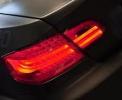
LM1 LCI taillights project is completed as well as another small project which exactly the affects of V6.1 cable but without the V6.1 cable .. V6.1 affects is the easiest and the simplest coding process I've ever seen in my life ..
but since no one showed up any interest ,, I will stay quiet and call it a happy day
the funniest part is that I've done a remote coding for a guy in Saudi Arabia looool
but since no one showed up any interest ,, I will stay quiet and call it a happy day
the funniest part is that I've done a remote coding for a guy in Saudi Arabia looool
I live in Pakistan, and I've bought the Hella LCI lights and have ordered the retrofit kit (Part # 61 12 0 432 110).
I have access to the GT1 and can also arrange for a NCS cable, you have to help me make it work! I can pay the charges via account to account transfer or paypal.
My car's VIN is CR85839, its 2006 Jan and i believe it has LM1!
Thanks and regards,
Omer
New Members
Joined: Jan 2012
Posts: 3
Likes: 0
From: Pakistan
LM1 LCI taillights project is completed as well as another small project which exactly the affects of V6.1 cable but without the V6.1 cable .. V6.1 affects is the easiest and the simplest coding process I've ever seen in my life ..
but since no one showed up any interest ,, I will stay quiet and call it a happy day
the funniest part is that I've done a remote coding for a guy in Saudi Arabia looool
but since no one showed up any interest ,, I will stay quiet and call it a happy day
the funniest part is that I've done a remote coding for a guy in Saudi Arabia looool
I live in Pakistan, and I've bought the Hella LCI lights and have ordered the retrofit kit (Part # 61 12 0 432 110).
I have access to the GT1 and can also arrange for a NCS cable, you have to help me make it work! I can pay the charges via account to account transfer or paypal.
My car's VIN is CR85839, its 2006 Jan and i believe it has LM1!
Thanks and regards,
Omer

Contributors
Joined: Jan 2010
Posts: 215
Likes: 0
From: Northern, NJ
My Ride: 550i SMG, HUD, Cold Weather/Sport Package, Mtech front bumper, Oem M5 rear bumper, V1 Concealed, RPI Scoop, 6000K HID both Fog and Headlight, M5 mirrors, LED interior lighting, M5 SMG Shift Knob, Eisenmann Sport Exhaust Quad Pipe, 30% Tint, Sprint B
Model Year: 2007
I have upgraded to the CIC system in my car. I am trying to program some features on the new CIC. SO far I have been able to update the order and have successfully coded the KOMBI module. When I try to code the CIC module I get the following message below when it tries to read the ecu: (I am using the latest bmw standard tools and have updated the daten files to v42) Any guidance on solving this problem?
error in cabd! look at cabi.err and error.log!
COAPI-2041:wrong ecu coding index
A_CIC: CODIERINDEX = 1ah
error in cabd! look at cabi.err and error.log!
COAPI-2041:wrong ecu coding index
A_CIC: CODIERINDEX = 1ah