


Installed Media Interface + Media Player


Thread Starter
Members
Joined: Aug 2010
Posts: 117
Likes: 0
From: Canada
My Ride: 550i M SPORT - 6 SPEED MANUAL

Probably the angel of the shot taken.
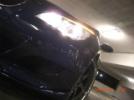
I need to take a look at my at that angel at night and see, but mine does seem more blueish and if you look at it straight on it's white. As you can see from the photo below.
Attachment 122245
I need to take a look at my at that angel at night and see, but mine does seem more blueish and if you look at it straight on it's white. As you can see from the photo below.
Attachment 122245

P.S. SEXY CAR BRO!

Contributors
Joined: Nov 2005
Posts: 4,719
Likes: 3
From: London, UK
My Ride: BMW E60 520d SE Saloon M47 2.0dTitanium Grey II, Grey−Dakota Leather, Visibility Package, Media Package, Through Load System, Lumbar support − fr seats, Automatic Air Conditioning−Advanced, High beam assistant, Hi−Fi Loudspeak
Model Year: 2006
This is what I used : http://uk.rs-online.com/web/search/s...94&cm_vc=av_uk
Thread Starter
Members
Joined: Aug 2010
Posts: 117
Likes: 0
From: Canada
My Ride: 550i M SPORT - 6 SPEED MANUAL
You connect the Red and Black wires to the 12V power and then connect the other two wires you a matching plug for your media player. Check the polarity required by the player.
This is what I used : http://uk.rs-online.com/web/search/s...94&cm_vc=av_uk
This is what I used : http://uk.rs-online.com/web/search/s...94&cm_vc=av_uk

Contributors
Joined: Jan 2007
Posts: 2,661
Likes: 2
From: (Sonoma County)Santa Rosa, CA
Man then how come E90's have more hint of purple.? Oh we'll I guess I'll have to find a different version of the GP thunder then. Thanks

Thread Starter
Members
Joined: Aug 2010
Posts: 117
Likes: 0
From: Canada
My Ride: 550i M SPORT - 6 SPEED MANUAL
Thread Starter
Members
Joined: Aug 2010
Posts: 117
Likes: 0
From: Canada
My Ride: 550i M SPORT - 6 SPEED MANUAL

Thread Starter
Members
Joined: Aug 2010
Posts: 117
Likes: 0
From: Canada
My Ride: 550i M SPORT - 6 SPEED MANUAL
You connect the Red and Black wires to the 12V power and then connect the other two wires you a matching plug for your media player. Check the polarity required by the player.
This is what I used : http://uk.rs-online.com/web/search/s...94&cm_vc=av_uk
This is what I used : http://uk.rs-online.com/web/search/s...94&cm_vc=av_uk
Contributors
Joined: Nov 2005
Posts: 4,719
Likes: 3
From: London, UK
My Ride: BMW E60 520d SE Saloon M47 2.0dTitanium Grey II, Grey−Dakota Leather, Visibility Package, Media Package, Through Load System, Lumbar support − fr seats, Automatic Air Conditioning−Advanced, High beam assistant, Hi−Fi Loudspeak
Model Year: 2006
So i remembered any phone charger is 5V! I went ahead and cut the wires for the phone charger and then added the power pin for the media player. Connected the phone charger to the spliced wires of the cars cig ligther and made everything nice and clean tucked it behind the glove box. Works like a charm and is more efficient.
Thread Starter
Members
Joined: Aug 2010
Posts: 117
Likes: 0
From: Canada
My Ride: 550i M SPORT - 6 SPEED MANUAL
I'm only running a 16GB USB Flash drive. I added in a 12v power line noise suppressor to the connection to help with the "noise" from the car. You suggest something to help with alternator whine noise?