


Real Time Traffic Updates



Thread Starter
Members
Joined: Dec 2011
Posts: 89
Likes: 0
From: Houston, Texas
My Ride: 04' 545i Sport Mystic Blue

Not sure what three beeps mean but look into your nav service menu by pushing down on the idrive and see if anything needs attention. Don't think it's map/traffic related.

Contributors
Joined: Jul 2007
Posts: 1,100
Likes: 1
From: Saint Louis, Missouri, USA
My Ride: 2010 535i M Sport 6MT
Model Year: 2010
Contributors
Joined: Jan 2008
Posts: 1,212
Likes: 0
From: Miami
My Ride: 05 545/6
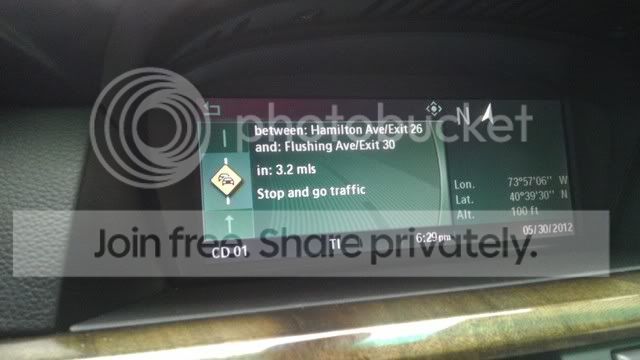
If you want to view a list of all of the Traffic info, go to the nav menu, go to information, and you'll see the traffic listed.
Senior Members
Joined: May 2011
Posts: 807
Likes: 0
From: nyc
Awesome I didn't get to try it last night , but i will tonight hopefully I don't need the software update. I'll keep you posted. if i do need the update what will happen ? Will i not find those options available in the cappl or will I be able to code it but nothing will happen .
Senior Members
Joined: May 2011
Posts: 807
Likes: 0
From: nyc
http://www.ebay.com/itm/BMW-USB-OBD-...ht_2660wt_1026
and all my software comes bmwcoding.com that website will be your guidebook to pretty much learning how to code everything and you can always come on here and ask for help as well. the name of the program most of us use is called ncs expert, it will be included in the software/driver bundle that you can download for free off that website. There is a bit of a learning curve but after a while any computer literate person should be able to work it out. best of luck
and all my software comes bmwcoding.com that website will be your guidebook to pretty much learning how to code everything and you can always come on here and ask for help as well. the name of the program most of us use is called ncs expert, it will be included in the software/driver bundle that you can download for free off that website. There is a bit of a learning curve but after a while any computer literate person should be able to work it out. best of luck
Senior Members
Joined: May 2011
Posts: 807
Likes: 0
From: nyc
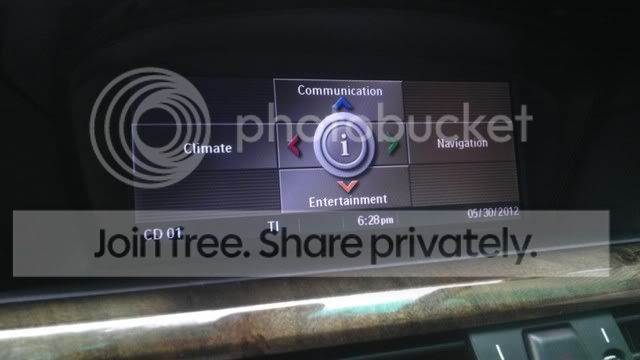
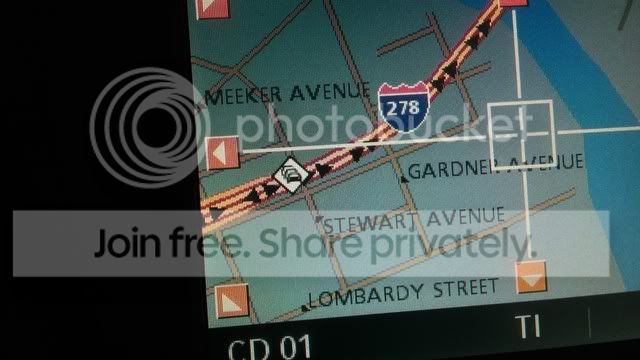
hey guys I went home today and coded it in less than 3 minutes and it worked perfectly, many thanks to the op for posting his question and to 545felix for answering his question without you guys I never would of thought my 04 was capable of doing this. Just when I thought there was nothing left for me to code on my car here goes something else. This obd cable has practically paid for itself

Senior Members
Joined: Sep 2007
Posts: 1,037
Likes: 1
From: Orange County
hey guys I went home today and coded it in less than 3 minutes and it worked perfectly, many thanks to the op for posting his question and to 545felix for answering his question without you guys I never would of thought my 04 was capable of doing this. Just when I thought there was nothing left for me to code on my car here goes something else. This obd cable has practically paid for itself
Senior Members
Joined: May 2011
Posts: 807
Likes: 0
From: nyc
no I just followed the coding instructions provided in the link posted earlier I didn't do anything to the settings. my guess is since newyork has so much traffic maybe the traffic updates are a bit more specific ????? beats me!!