


Dension Gateway 500 Ipod connection


Members
Joined: Nov 2006
Posts: 84
Likes: 0
From: Dallas Texas
My Ride: 530i SMG
Model Year: 2006

Originally Posted by ats77' post='438565' date='Jun 22 2007, 06:43 AM
Yo mates in mine there is Ipod, mp3 players. usb and hdd ok others too but now new firmware will come out, as I got recently CIP 25XX I will need to wait, but it seems no text for me, but for me what matters is the steering and idrive controls, that is A+!!! works.
Dension is busy now with E60, you will all get the replies soon, as they see this post Thank you, it def. worth it,
btw i have Radio Pro no NAV, Mp3 plays from day of delivery of car...
Dension is busy now with E60, you will all get the replies soon, as they see this post
Thank you, it def. worth it,btw i have Radio Pro no NAV, Mp3 plays from day of delivery of car...
Hello ATS77
For those of us late 2006 and earlier models where BMW option for USB not available weather MASK or CCC Dension model 500 solution
is the best solution.
I ordered Dension 500 today for tomorrow delivery. They have told me a new firmware will be installed before shipment.
My car is a CCC.
I am just wondering about the installation. Can I do it or I need professional installation?
Do you have pictures of where the unit is installed on yours?
I will update everyone on how mine is working and pictures of the installation.
I am planning to use 2.5" 120Gig. hard drive and 80 gig Ipod.

Senior Members
Joined: Jan 2007
Posts: 1,315
Likes: 0
From: NJ, USA
My Ride: 2006 525i, Premium,Cold,Xenon Packages
Oh this Dension would only work if you have CCC ? Mine is no NAV, 1 CD drive only which can play Mp3s, so I assume it is MASK.
How do you determine if you have Professional Radio?
Update: Looks like my car DOES have Professional Radio.. Does this mean I have CCC?
Prod. date 2005-04-18
Order options
No. Description
1CA SELECTION COP RELEVANT VEHICLES
205 AUTOMATIC TRANSMISSION
248 STEERING WHEEL HEATING
319 INTEGRATED UNIVERSAL REMOTE CONTROL
403 GLAS ROOF, ELECTRIC
430 INT/EXT RR VW MIRROR W AUT ANTI-DAZZLE
431 INTERIOR RR VW MIRROR W AUT ANTI-DAZZLE
438 WOOD TRIM
441 SMOKERS PACKAGE
459 SEAT ADJUSTM., ELECTR. W MEMORY F DRIVER
488 LUMBAR SUPPORT DRIVER/FRONT PASSENGER
494 SEAT HEATING F DRIVER/FRONT PASSENGER
502 HEADLIGHT WASHER SYSTEM
522 XENON LIGHT
524 ADAPTIVE HEADLIGHTS
563 LIGHTS PACKAGE
605 TELEMATIC PREPARATION
639 COMPLETE PREP. CELLULAR PHONE USA/CDN
655 SATELLITE RADIO
663 RADIO BMW PROFESSIONAL <<<<<-----------------------|||
694 PREPARATION FOR CD CHANGER
697 AREA-CODE 1
8SP COP CONTROL
818 MAIN BATTERY SWITCH
9AA EXTERNAL SKIN PROTECTION
925 SHIPPING PROTECTION PACKAGE
How do you determine if you have Professional Radio?
Update: Looks like my car DOES have Professional Radio.. Does this mean I have CCC?
Prod. date 2005-04-18
Order options
No. Description
1CA SELECTION COP RELEVANT VEHICLES
205 AUTOMATIC TRANSMISSION
248 STEERING WHEEL HEATING
319 INTEGRATED UNIVERSAL REMOTE CONTROL
403 GLAS ROOF, ELECTRIC
430 INT/EXT RR VW MIRROR W AUT ANTI-DAZZLE
431 INTERIOR RR VW MIRROR W AUT ANTI-DAZZLE
438 WOOD TRIM
441 SMOKERS PACKAGE
459 SEAT ADJUSTM., ELECTR. W MEMORY F DRIVER
488 LUMBAR SUPPORT DRIVER/FRONT PASSENGER
494 SEAT HEATING F DRIVER/FRONT PASSENGER
502 HEADLIGHT WASHER SYSTEM
522 XENON LIGHT
524 ADAPTIVE HEADLIGHTS
563 LIGHTS PACKAGE
605 TELEMATIC PREPARATION
639 COMPLETE PREP. CELLULAR PHONE USA/CDN
655 SATELLITE RADIO
663 RADIO BMW PROFESSIONAL <<<<<-----------------------|||
694 PREPARATION FOR CD CHANGER
697 AREA-CODE 1
8SP COP CONTROL
818 MAIN BATTERY SWITCH
9AA EXTERNAL SKIN PROTECTION
925 SHIPPING PROTECTION PACKAGE

Members
Joined: Mar 2007
Posts: 8
Likes: 0
I now have the GW 500 installed in my E61 (Dec '06 with media pack, i.e. SatNav, Pro Radio etc) 
It was professionally installed (cost: 80 GBP on top of the 275 GBP for the unit), however it was a still tricky job and it took the installer two visits and a long call to Dension support to get right. I also had to upgrade the firmware to version 2.03 (available). This took me several attempts because my USB drive was formatted as NTFS (the GW can only read FAT16 or FAT32).
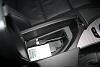
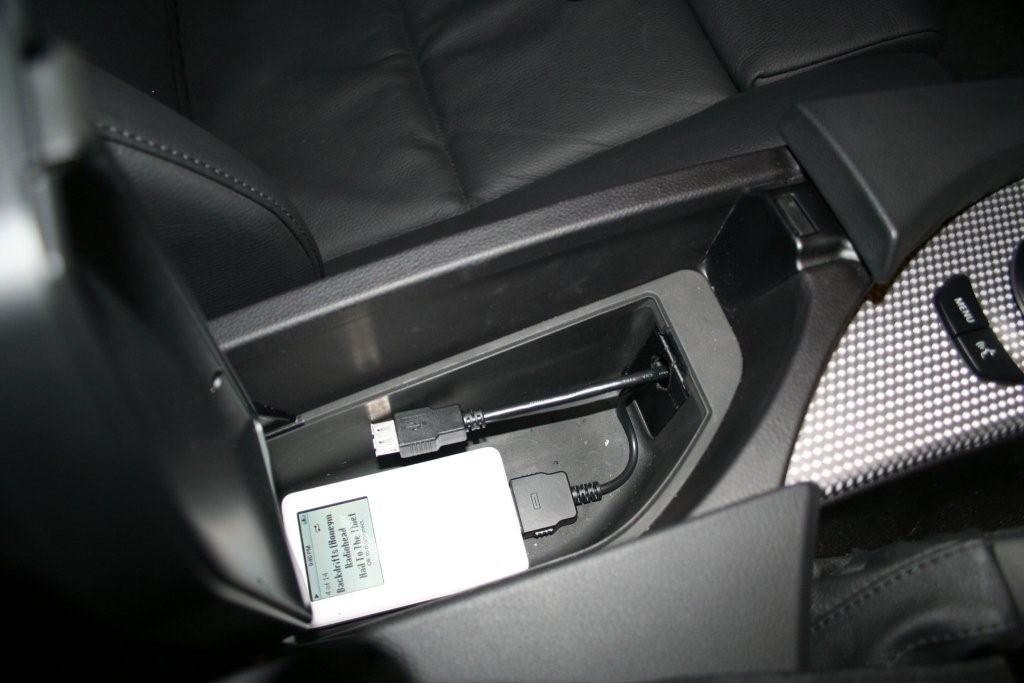
I don't have a picture of the main GW unit itself, as the installer put it somewhere hidden behind the dashboard. However, here you can see that the Ipod and USB cables are located in the centre console in the space below the phone holder, hidden from view when the cover is closed but easily accessible.
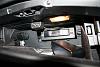
This pic shows the Aux unit (with reset button and mode selector switch) attached to the roof of the glove compartment, also nicely out of the way.
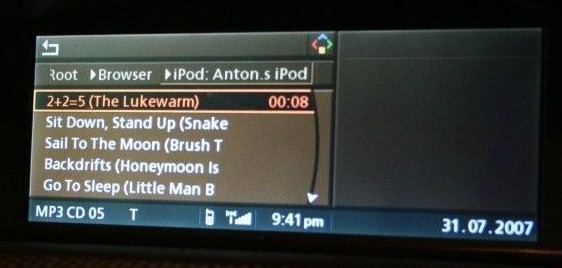
The following shots (sorry for the poor focus, these were taken at night) show the user interface in action.
From the beginning:
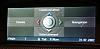
Select CD from Entertainment sources:
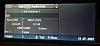
It switches to show the tune it was last playing. Note that you can see the track name from the list of tracks, but not the name of the album.
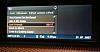
Select "Browser" from the folder structure:
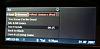
And it goes the main menu, from where you can choose the Source (Ipod, USB, Aux), Playlists, Artists, Albums, etc:
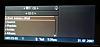
We select Artists, which takes us to a list of artists with the Search option at the top.
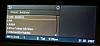
I want Radiohead which is a long way down the list, so I use the Search option to choose "R":
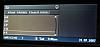
Select Radiohead:
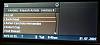
Album list:
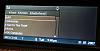
Album selected. Note that the track names here are truncated on the screen because they are quite long, but you get the idea.
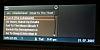
Click for play menu:
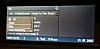
Playing:
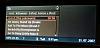
Hope that's useful to anyone considering getting one of these installed. I'm certainly happy with it so far.
Anton
It was professionally installed (cost: 80 GBP on top of the 275 GBP for the unit), however it was a still tricky job and it took the installer two visits and a long call to Dension support to get right. I also had to upgrade the firmware to version 2.03 (available). This took me several attempts because my USB drive was formatted as NTFS (the GW can only read FAT16 or FAT32).
I don't have a picture of the main GW unit itself, as the installer put it somewhere hidden behind the dashboard. However, here you can see that the Ipod and USB cables are located in the centre console in the space below the phone holder, hidden from view when the cover is closed but easily accessible.
This pic shows the Aux unit (with reset button and mode selector switch) attached to the roof of the glove compartment, also nicely out of the way.
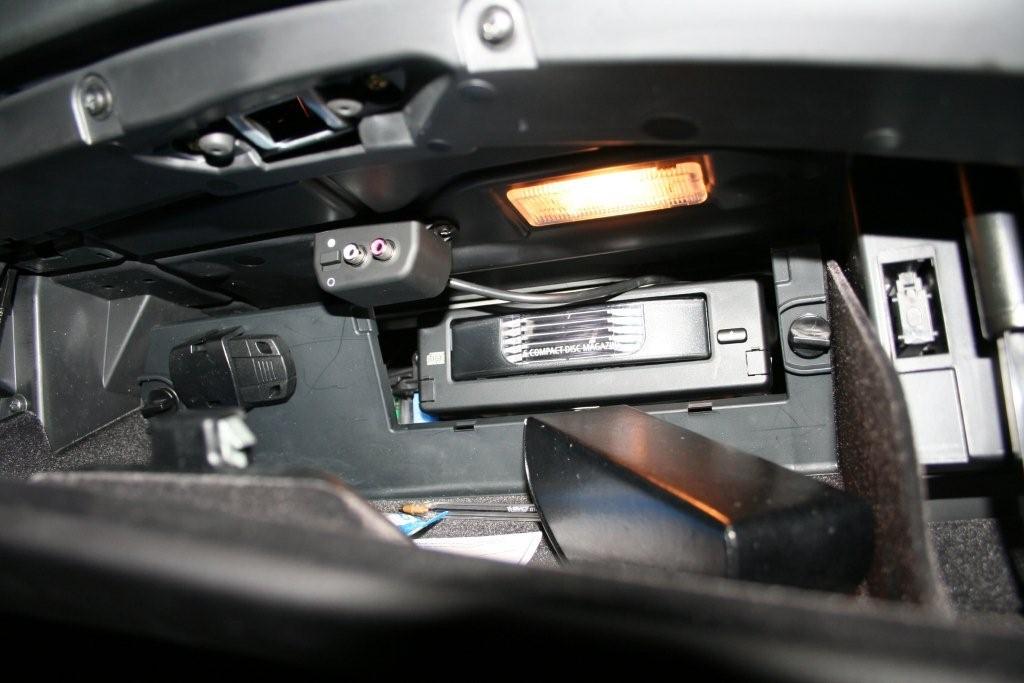
The following shots (sorry for the poor focus, these were taken at night) show the user interface in action.
From the beginning:
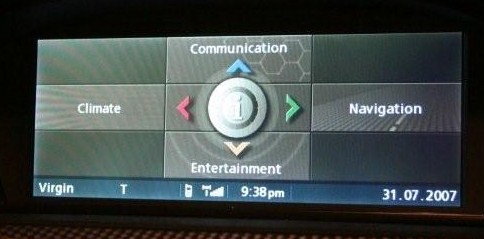
Select CD from Entertainment sources:
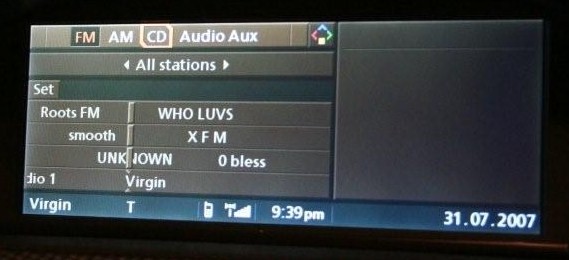
It switches to show the tune it was last playing. Note that you can see the track name from the list of tracks, but not the name of the album.
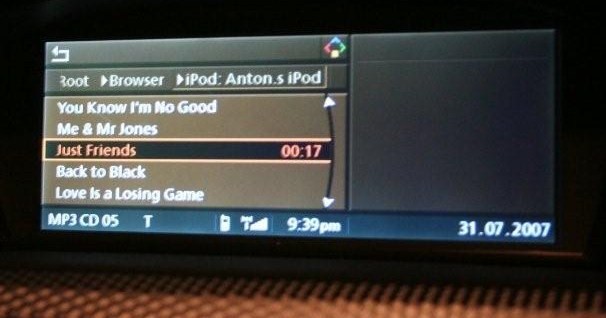
Select "Browser" from the folder structure:
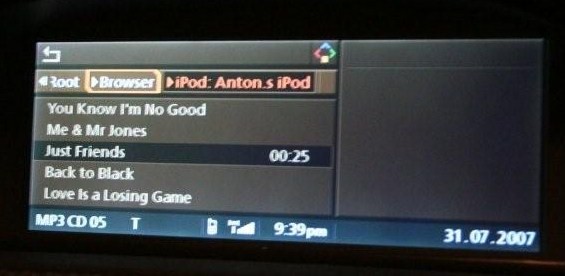
And it goes the main menu, from where you can choose the Source (Ipod, USB, Aux), Playlists, Artists, Albums, etc:
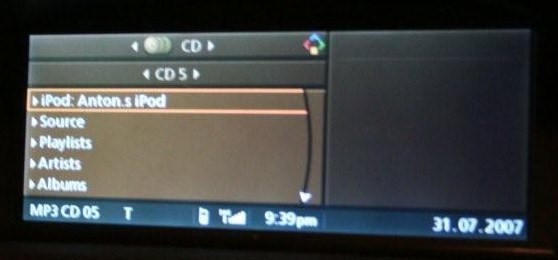
We select Artists, which takes us to a list of artists with the Search option at the top.
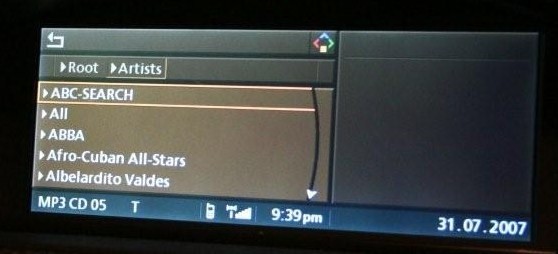
I want Radiohead which is a long way down the list, so I use the Search option to choose "R":
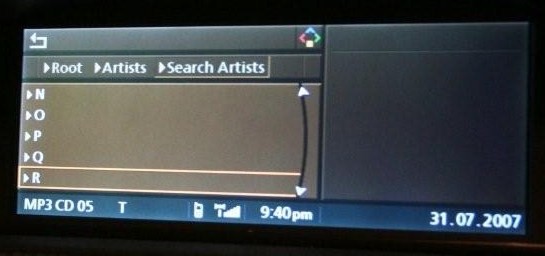
Select Radiohead:
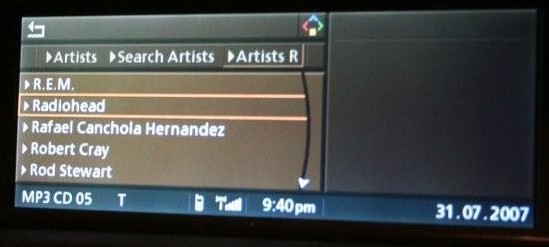
Album list:
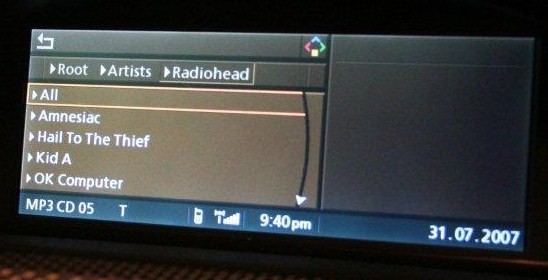
Album selected. Note that the track names here are truncated on the screen because they are quite long, but you get the idea.
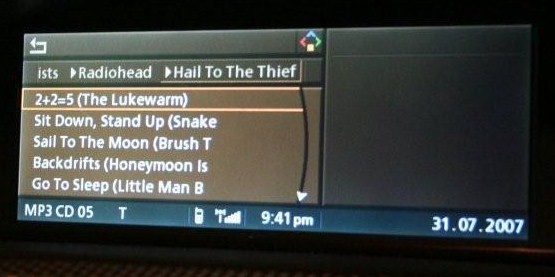
Click for play menu:
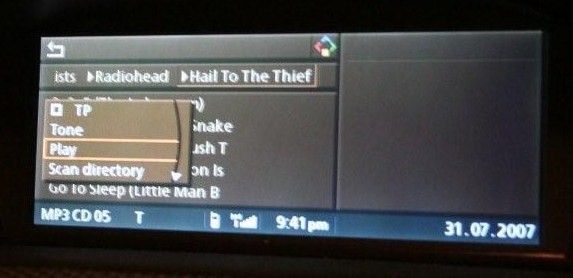
Playing:
Hope that's useful to anyone considering getting one of these installed. I'm certainly happy with it so far.
Anton

Members
Joined: Jul 2007
Posts: 9
Likes: 0
Originally Posted by antonh' post='453747' date='Jul 31 2007, 05:18 PM
I now have the GW 500 installed in my E61 (Dec '06 with media pack, i.e. SatNav, Pro Radio etc)
It was professionally installed (cost: 80 GBP on top of the 275 GBP for the unit), however it was a still tricky job and it took the installer two visits and a long call to Dension support to get right. I also had to upgrade the firmware to version 2.03 (available). This took me several attempts because my USB drive was formatted as NTFS (the GW can only read FAT16 or FAT32).
I don't have a picture of the main GW unit itself, as the installer put it somewhere hidden behind the dashboard. However, here you can see that the Ipod and USB cables are located in the centre console in the space below the phone holder, hidden from view when the cover is closed but easily accessible.
Attachment 35980
This pic shows the Aux unit (with reset button and mode selector switch) attached to the roof of the glove compartment, also nicely out of the way.
Attachment 35981
The following shots (sorry for the poor focus, these were taken at night) show the user interface in action.
From the beginning:
Attachment 35986
Select CD from Entertainment sources:
Attachment 35989
It switches to show the tune it was last playing. Note that you can see the track name from the list of tracks, but not the name of the album.
Attachment 35990
Select "Browser" from the folder structure:
Attachment 35991
And it goes the main menu, from where you can choose the Source (Ipod, USB, Aux), Playlists, Artists, Albums, etc:
Attachment 35992
We select Artists, which takes us to a list of artists with the Search option at the top.
Attachment 35993
I want Radiohead which is a long way down the list, so I use the Search option to choose "R":
Attachment 35994
Select Radiohead:
Attachment 35995
Album list:
Attachment 35996
Album selected. Note that the track names here are truncated on the screen because they are quite long, but you get the idea.
Attachment 35997
Click for play menu:
Attachment 35998
Playing:
Attachment 35999
Hope that's useful to anyone considering getting one of these installed. I'm certainly happy with it so far.
Anton
It was professionally installed (cost: 80 GBP on top of the 275 GBP for the unit), however it was a still tricky job and it took the installer two visits and a long call to Dension support to get right. I also had to upgrade the firmware to version 2.03 (available). This took me several attempts because my USB drive was formatted as NTFS (the GW can only read FAT16 or FAT32).
I don't have a picture of the main GW unit itself, as the installer put it somewhere hidden behind the dashboard. However, here you can see that the Ipod and USB cables are located in the centre console in the space below the phone holder, hidden from view when the cover is closed but easily accessible.
Attachment 35980
This pic shows the Aux unit (with reset button and mode selector switch) attached to the roof of the glove compartment, also nicely out of the way.
Attachment 35981
The following shots (sorry for the poor focus, these were taken at night) show the user interface in action.
From the beginning:
Attachment 35986
Select CD from Entertainment sources:
Attachment 35989
It switches to show the tune it was last playing. Note that you can see the track name from the list of tracks, but not the name of the album.
Attachment 35990
Select "Browser" from the folder structure:
Attachment 35991
And it goes the main menu, from where you can choose the Source (Ipod, USB, Aux), Playlists, Artists, Albums, etc:
Attachment 35992
We select Artists, which takes us to a list of artists with the Search option at the top.
Attachment 35993
I want Radiohead which is a long way down the list, so I use the Search option to choose "R":
Attachment 35994
Select Radiohead:
Attachment 35995
Album list:
Attachment 35996
Album selected. Note that the track names here are truncated on the screen because they are quite long, but you get the idea.
Attachment 35997
Click for play menu:
Attachment 35998
Playing:
Attachment 35999
Hope that's useful to anyone considering getting one of these installed. I'm certainly happy with it so far.
Anton
I too got delivery of the GW500 unit today, I was going to put my ipod in the glove box, but I think I will duplicate your location as it seems more sensible.
BTW.. I'm having trouble locating someone to fit this for me, (Staffordshire) who did you use? do they do national installs?
Roy

Members
Joined: Jul 2007
Posts: 3
Likes: 0
Note that you can see the track name from the list of tracks, but not the name of the album.

Have you tried pressing the I-drive button, scrolling down and making sure "details" is ticked?
Members
Joined: Mar 2007
Posts: 8
Likes: 0
Originally Posted by jackdaw' post='453753' date='Jul 31 2007, 11:47 PM
antonh - In my E90 I get artist - album and track with the GW500.
Have you tried pressing the I-drive button, scrolling down and making sure "details" is ticked?
Have you tried pressing the I-drive button, scrolling down and making sure "details" is ticked?
Foxy_uk - I used a company called Incar-Installer www.incar-installer.com, who were recommended by iPod Car Kit Direct (which is where I bought the GW500). They operate nationwide.
Anton
Members
Joined: Nov 2006
Posts: 84
Likes: 0
From: Dallas Texas
My Ride: 530i SMG
Model Year: 2006
Antonh;
I am in US and I have also completed installation on E60 5 series and it works just like yours. I did not decide final cable locations.
Looking at yours looks great except I will move AUX connector close to the corner probably to the right than the middle of the compartment.
I am doing it myself and writing DIY. Do you know if they used the cables provided by Dension or purchased extensions.
I am in US and I have also completed installation on E60 5 series and it works just like yours. I did not decide final cable locations.
Looking at yours looks great except I will move AUX connector close to the corner probably to the right than the middle of the compartment.
I am doing it myself and writing DIY. Do you know if they used the cables provided by Dension or purchased extensions.
