


"Night" mode for the nav?


Thread Starter
Members
Joined: Jul 2009
Posts: 72
Likes: 0

Does anyone know if there's a night time mode for the navigation in an '06 M5? In every other navigation equipped vehicle I've owned, turning on the headlights makes the navigation screen turn to night.
The white of the screen is almost blinding when it's dark in the cabin.
Anyone have an idea as to how to change it?
Thanks in advance,
Alan
The white of the screen is almost blinding when it's dark in the cabin.
Anyone have an idea as to how to change it?
Thanks in advance,
Alan

Members
Joined: Oct 2007
Posts: 87
Likes: 0
From: Australia
My Ride: 2004 BMW 545i, M-Sport Bodykit, Sports Suspension, Sports Seats, Active Steering.
I believe you should be able to adjust the brightness level of your screen in your Display Settings menu in your iDrive.
Thread Starter
Members
Joined: Jul 2009
Posts: 72
Likes: 0
Originally Posted by stavros' post='948720' date='Jul 21 2009, 07:29 AM
I believe you should be able to adjust the brightness level of your screen in your Display Settings menu in your iDrive.
Contributors
Joined: May 2006
Posts: 733
Likes: 0
From: Milton Keynes, United Kingdom
My Ride: 535d M-Sport '06 Plate - Carbon Black - Black Leather - Pro Sat Nav - Logic 7 - HUD - Bluetooth - Privacy Glass - 172M 19" Alloys - Heated Seats - PDC - Adaptive Headlights - Extended Voice Control - Paintshield Extended - M5 Boot Finisher - Bright White LED Internal Lighting - Dension Gateway 500 Ipod/USB/Aux Integration
Originally Posted by Big Top Gt' post='948811' date='Jul 21 2009, 02:58 PM
So I can manually adjust it, but it lacks an automatic night setting?
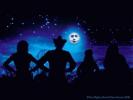
I've always thought it'd be cool if the nav had time relevant screens. i.e. sunny and blue sky until 19:00 then the moon and stars from 19:00 onwards. Simple things, please simple minds I guess


Senior Members
Joined: Sep 2005
Posts: 4,096
Likes: 0
From: Italy, Milano
My Ride: 545i SMG with Limited Slip Differential
Model Year: 2005
Originally Posted by Big Top Gt' post='948811' date='Jul 21 2009, 03:58 PM
So I can manually adjust it, but it lacks an automatic night setting?
Yes, iDrive sucks

Senior Members
Joined: Jun 2006
Posts: 630
Likes: 0
From: Northern NJ
Yeah the older idrive suck badly compared to other car mfg..
However the 2010 cars are now almost up to speed with the Japanese technology.
You can now turn off the idrive screen completely (black) and you can also switch it to night time mode which gives you a night sky animation.
I was hoping that you could set it based on the clock in the car to switch from night time mode to daytime mode, but it doesn't seem to let you do that.
However the 2010 cars are now almost up to speed with the Japanese technology.
You can now turn off the idrive screen completely (black) and you can also switch it to night time mode which gives you a night sky animation.
I was hoping that you could set it based on the clock in the car to switch from night time mode to daytime mode, but it doesn't seem to let you do that.

Senior Members
Joined: Dec 2007
Posts: 601
Likes: 1
From: Birmingham, AL
My Ride: 535i 6-speed
Model Year: 2008
There is a sensor that detects the brightness in the cabin. The sensor is used to adjusts the brightness of the screen. I don't have my car at the moment, but from memory, I believe the sensor is located at the bottom middle of the nav screen. It is a ~1/16" round sensor. You can check it's operation by blocking it with your finger and watching the brightness of your screen react...it reacts within seconds. When you block the sensor, the screen should get dimmer.
As mentioned above, you can also adjust the brightness through a few other methods.
Check out page 87 of your Manual "Brightness of Control Display".
As mentioned above, you can also adjust the brightness through a few other methods.
Check out page 87 of your Manual "Brightness of Control Display".
Contributors
Joined: Oct 2004
Posts: 14,776
Likes: 0
From: So Cal, USA
My Ride: 545iSMGSilver GrayAuburn Dakota LeatherLogic 7 Premium SoundSports Package
I'm pretty sure even the old iDrive screens adjust itself for day/night operation... it might not do clouds/moons and stars but it does adjust the brightness properly where its not blinding at night and too dim during the day.


Senior Members
Joined: Apr 2008
Posts: 741
Likes: 0
From: Northern VA
My Ride: E60 BMW ///M5 V10
Originally Posted by Kzang' post='948903' date='Jul 21 2009, 11:09 AM
Yeah the older idrive suck badly compared to other car mfg..
However the 2010 cars are now almost up to speed with the Japanese technology.
You can now turn off the idrive screen completely (black) and you can also switch it to night time mode which gives you a night sky animation.
I was hoping that you could set it based on the clock in the car to switch from night time mode to daytime mode, but it doesn't seem to let you do that.
However the 2010 cars are now almost up to speed with the Japanese technology.
You can now turn off the idrive screen completely (black) and you can also switch it to night time mode which gives you a night sky animation.
I was hoping that you could set it based on the clock in the car to switch from night time mode to daytime mode, but it doesn't seem to let you do that.